Welcome to our getting started with the GPD WIN 5 guide. This device represents the next leap in handheld gaming PCs, merging the robust power of a desktop with the unmatched portability of a console. At its heart lies the formidable AMD Ryzen AI MAX 395/385 processor paired with Radeon 8060S/8050S graphics, ensuring this compact powerhouse delivers an incredible performance punch.
Engineered for dedicated gamers who refuse to compromise, the GPD WIN 5 allows you to take your entire PC library anywhere. It boasts a vibrant 7-inch touchscreen display and an innovative slide-up design unveiling a complete physical keyboard. This combination of potent hardware and a flexible form factor makes the GPD WIN 5 the ultimate choice for players seeking top-tier performance and adaptability in a single, portable device.
This guide is designed to get you up and running with your new GPD WIN 5 as quickly as possible. We will walk you through essential first steps, from initial hardware checks and software updates to optimizing your device for the best gaming experience and resolving common issues.
Inspect the GPD WIN 5
Upon unboxing your GPD WIN 5, we highly recommend conducting a thorough inspection to confirm that every component is in perfect working order.
- Inspect the device casing: Carefully examine the outer shell for any cracks, scratches, or other forms of damage that might have occurred during shipping.
- Check all buttons and joysticks: Use the gamepad tester at https://hardwaretester.com/gamepad to ensure all buttons and joysticks are responsive and registering input properly.
- Assess touchscreen functionality: Test the entire surface of the touchscreen to ensure it responds accurately to touch. Check that you can interact with all corners and edges of the screen without issue.
- Confirm USB port functionality: Connect common USB devices like a flash drive, mouse, or external keyboard to verify that all USB ports are functioning as expected.
- Check the audio output: Test both the built-in speakers and the headphone jack to ensure you are receiving clear and consistent audio.
- Check the battery connector: Check that the battery connector on the back of the GPD WIN 5 is visually OK before connecting the battery.
By performing this comprehensive inspection of your GPD WIN 5, you can be confident that all its components are functioning correctly and address any potential issues immediately. Should you encounter any problems, our team at GPD Store is ready to provide full support. Simply visit our Contact Us page to get in touch.
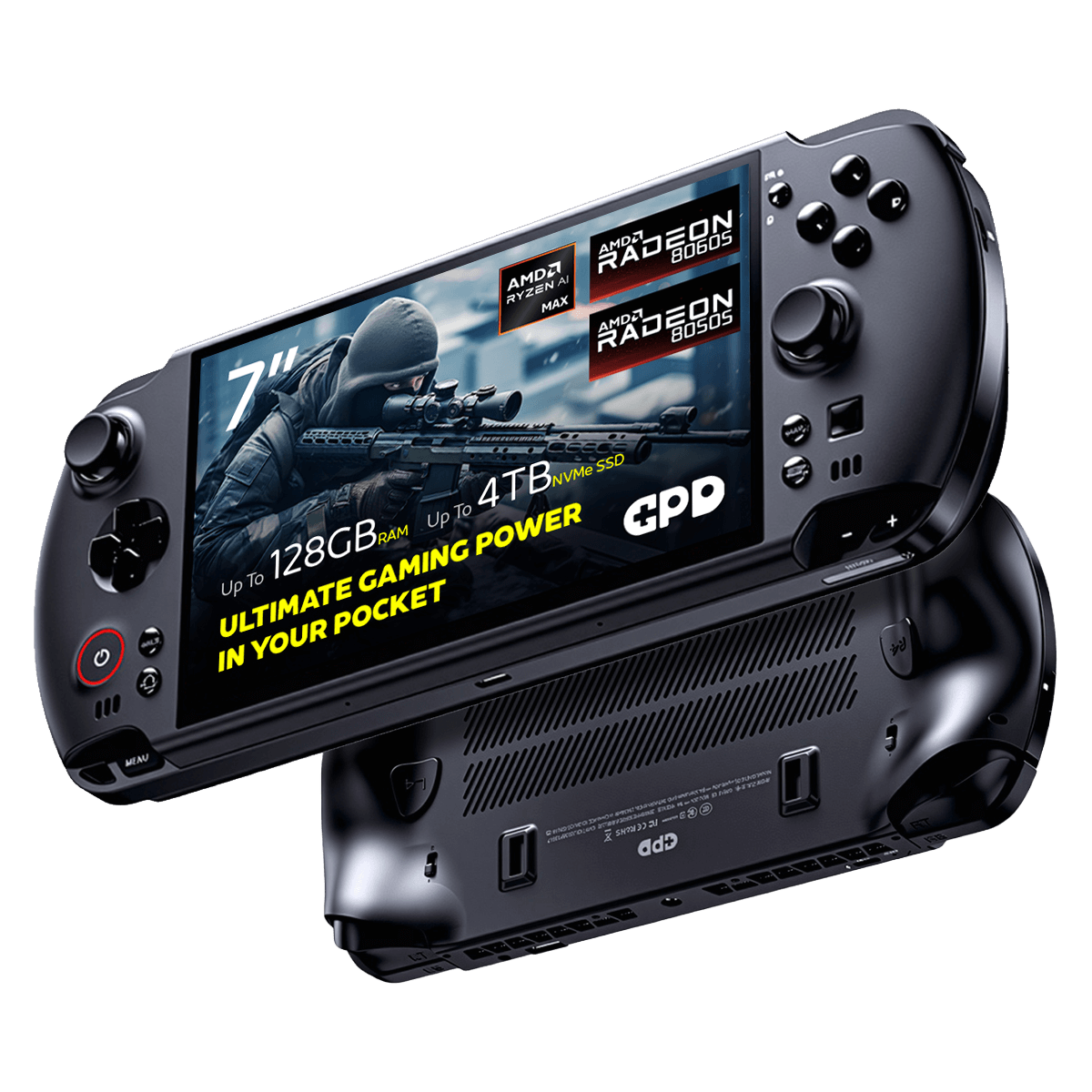
GPD WIN 5 Gaming Handheld PC
Update GPD WIN 5 Windows & Drivers
Updating Windows 11
To ensure your GPD WIN 5 operates with peak performance and the latest security features, it’s crucial to keep it updated. Follow these steps to check for and install Windows 11 updates:
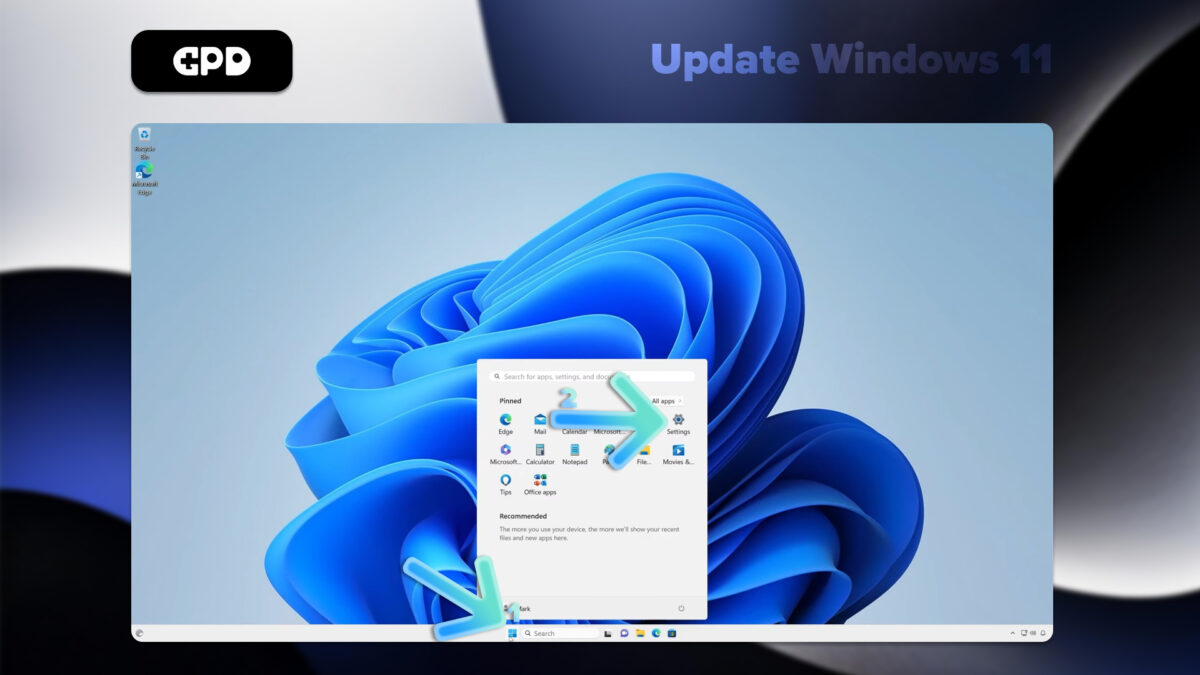
- Navigate to the Start menu by clicking the Windows icon or by pressing the Windows Key.
- Choose the Settings icon (shaped like a gear) or type “Settings” into the search bar and press Enter.
- Within the Settings menu, select Windows Update from the left-hand panel.
- Click the Check for updates button to initiate a scan for new updates.
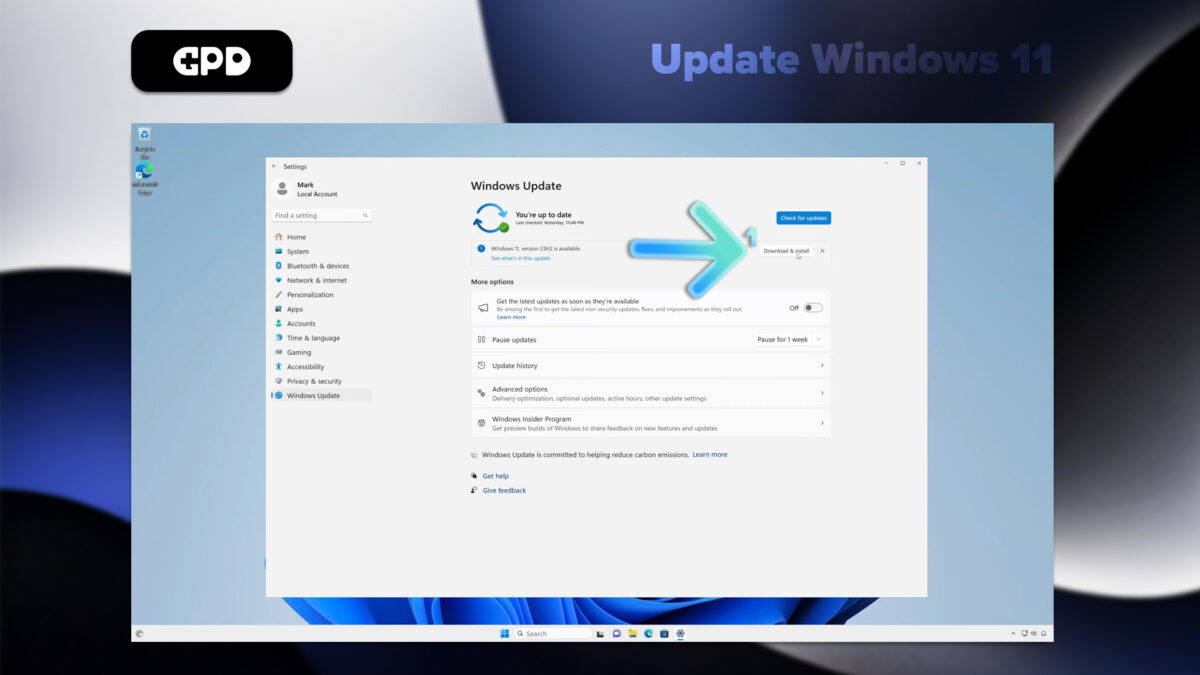
- Windows will automatically download any available updates.
- After the download is complete, you may be prompted to restart your GPD WIN 5 to finalize the installation.
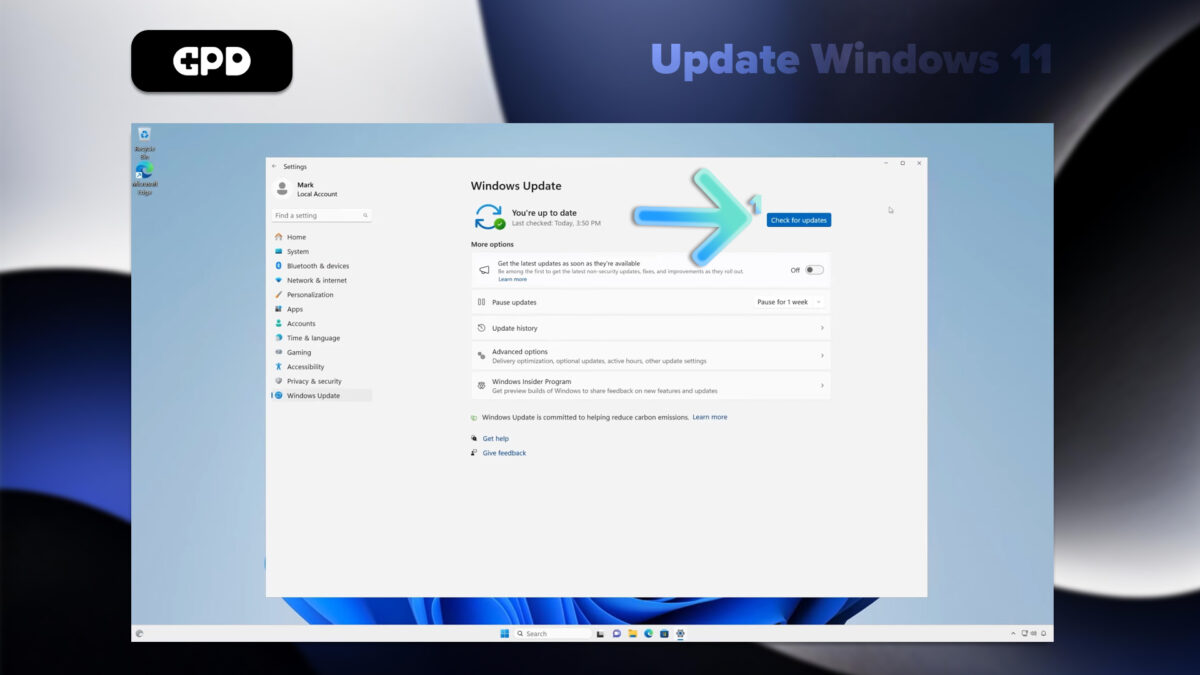
Note: While your GPD WIN 5 is configured to check for updates automatically, we recommend performing a manual check from time to time. For more control, you can adjust your update settings by navigating to “Advanced options” within the Windows Update menu.
How to Update Drivers on the GPD WIN 5
Windows Update
For most drivers, using Windows Update is the easiest and most reliable approach:
- Access Settings via the Start menu.
- Choose Windows Update from the side panel.
- Click on Check for updates.
- Windows will then find, download, and install any necessary driver updates alongside regular system updates.
Device Manager
If you need to update a specific driver:
- Right-click on the Start button and choose Device Manager.
- Locate and expand the hardware category for the device you wish to update.
- Right-click the specific device and select the Update driver option.
- Select Search automatically for drivers to let Windows find the best available driver.
AMD Drivers Updates
The GPD WIN 5 is powered by an AMD processor. To ensure the GPU and chipset drivers are fully optimized, use the AMD Auto-Detect tool.
- First, download and install the AMD Auto-Detect and Install Driver Updates tool from the official AMD website here.
- Launch the application and follow the on-screen instructions to select and install the recommended updates.
You can read our detailed How to uninstall and install AMD graphics drivers guide here.
Note: To maintain system stability and security, always download drivers directly from official sources. While Windows Update handles many essential drivers, the dedicated AMD tool is crucial for keeping the specific components of your GPD WIN 5 optimized. Consistent driver updates will ensure your handheld PC maintains peak performance and full compatibility with the newest software and games.
Must-Have Software for the GPD WIN 5
To unlock the full potential of your GPD WIN 5, we recommend installing the following essential applications:
Performance Optimization
- GPD MotionAssist: Crucial for managing TDP settings, configuring gyro controls, and accessing other device-specific features.
Gaming
- Steam: The definitive platform for PC gaming, offering an enormous library of titles perfectly suited for the GPD WIN 5.
- RetroArch: An all-in-one solution for emulating classic games from a wide variety of retro consoles.
Productivity
- Microsoft Office or LibreOffice: For all your document creation and editing needs.
- OneNote: Perfect for taking notes, especially when leveraging the device’s touchscreen capabilities.
Entertainment
- VLC Media Playe: A powerful and versatile media player that supports a vast range of video and audio formats.
Utilities
- 7-Zip: A highly efficient tool for file compression and extraction.
- ShareX: An advanced tool for capturing screenshots and recording your screen.
Development
- Visual Studio Code: An excellent, lightweight code editor that is well-suited for coding on the move.
Security
- Malwarebytes: Provides an extra layer of protection against malware, viruses, and other online threats.
Customization
- AutoHotkey: Allows you to create powerful custom shortcuts and macros, which is especially useful on the GPD WIN 5’s compact keyboard.
Always remember to fine-tune in-game graphical settings to achieve the best performance. The GPD WIN 5 truly shines when you find the perfect balance between visual quality and smooth frame rates.