The Minisforum UN100 has space inside for a 2.5″ HDD or SSD to expand the storage. This guide will show how to open your mini PC and install the drive.
Remove the four rubber feet caps and screws.
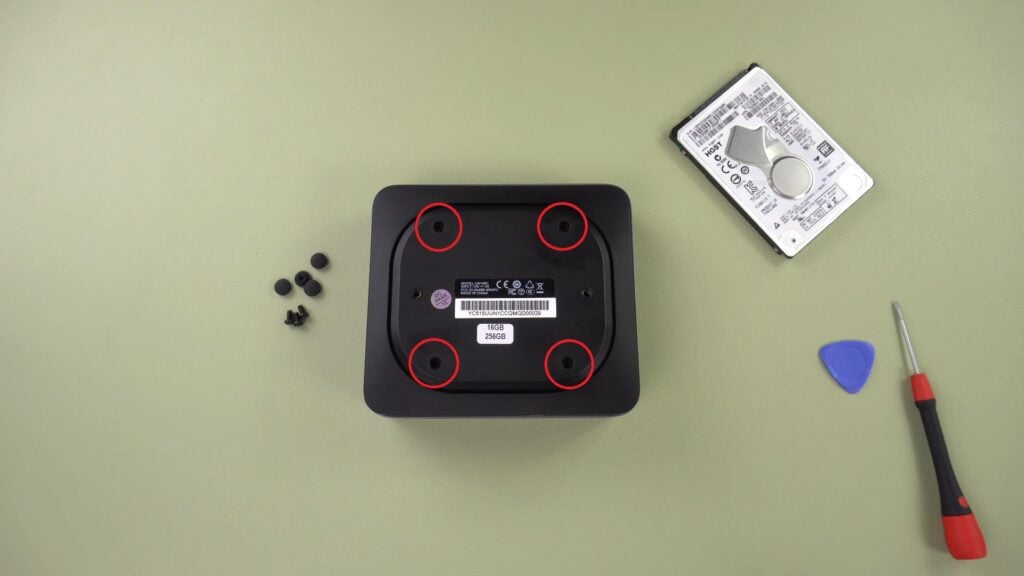
Remove the four rubber feet caps and screws
Lift the base off the mini PC. You may need to use a plastic spudger to free it.
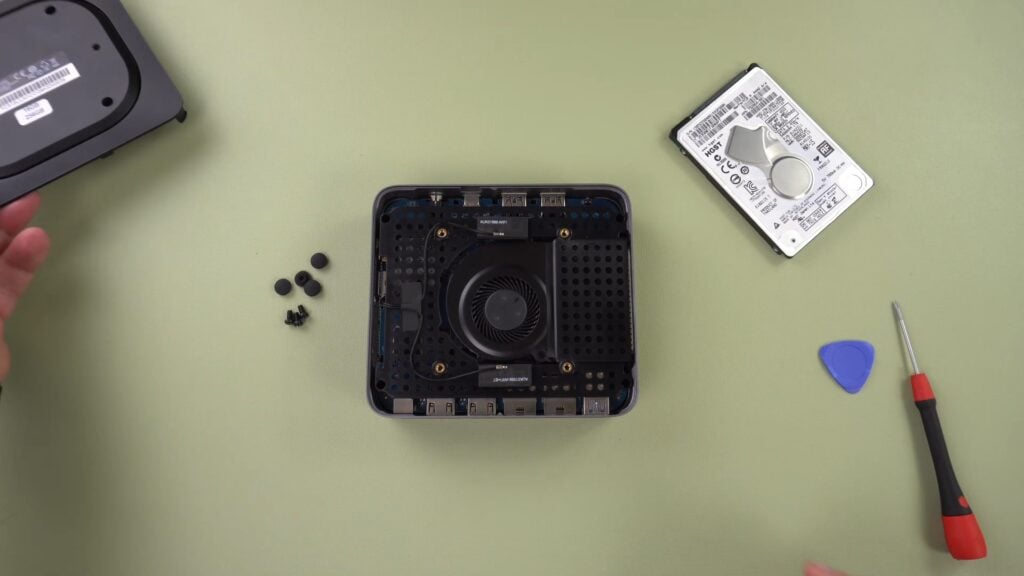
Lift the base of the mini PC
Remove the four screws as indicated.
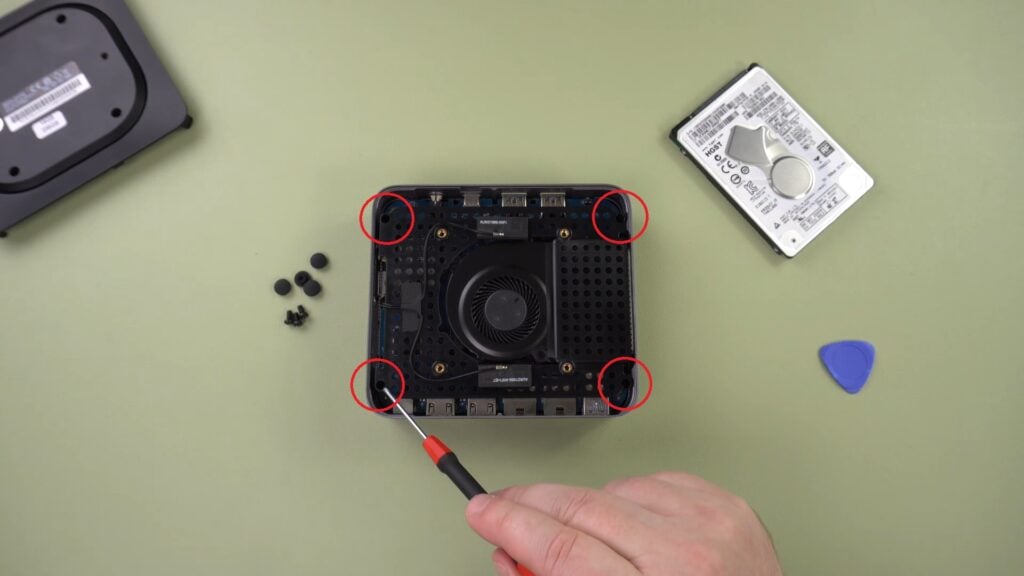
Remove the four screws as indicated
Gently lift the tray to the side. There is a short cable which you should lift to.
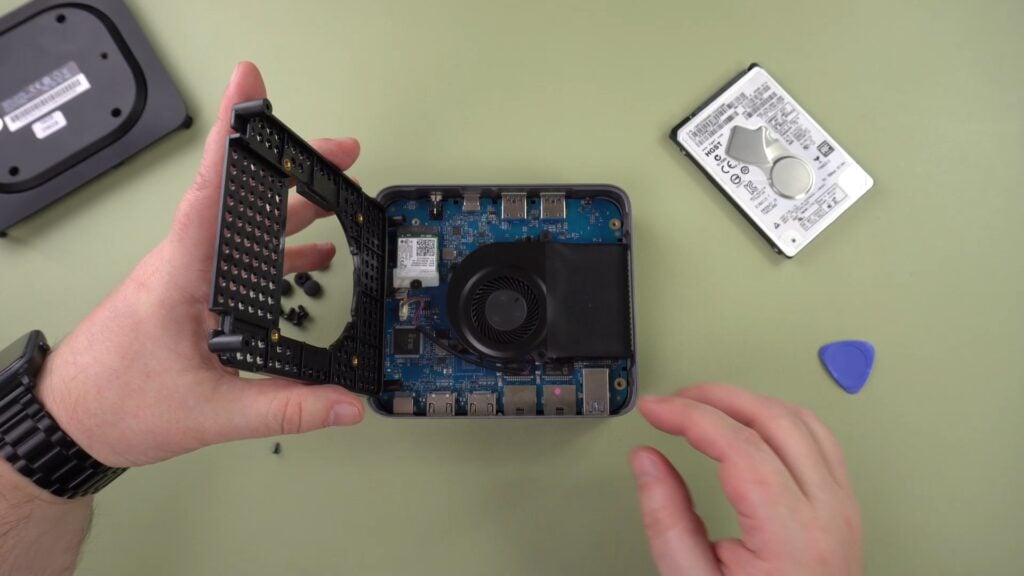
Lift the tray to the side
Remove the screw and remove the component.
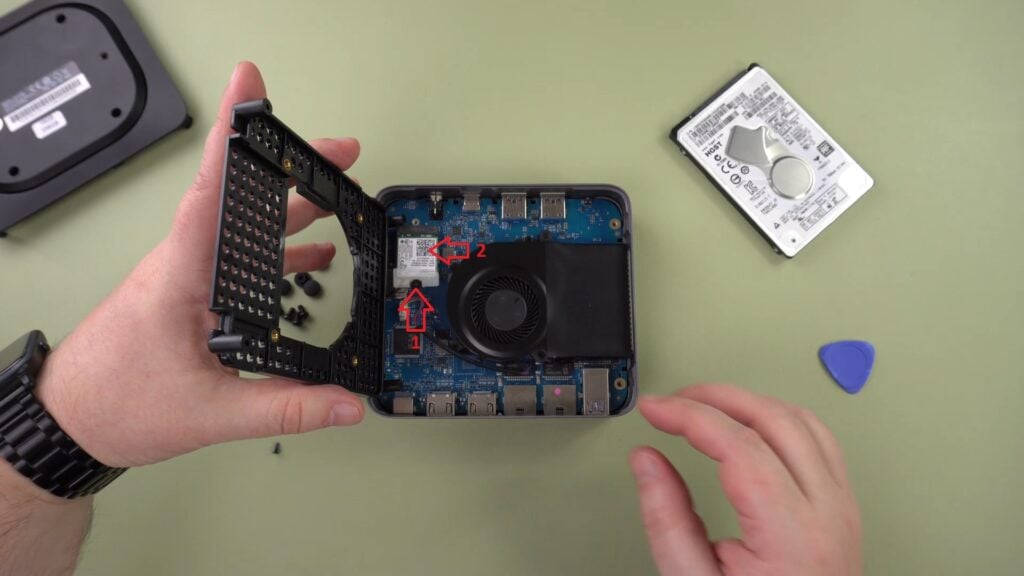
Remove the screw and component
Gently lift the main board from the case.
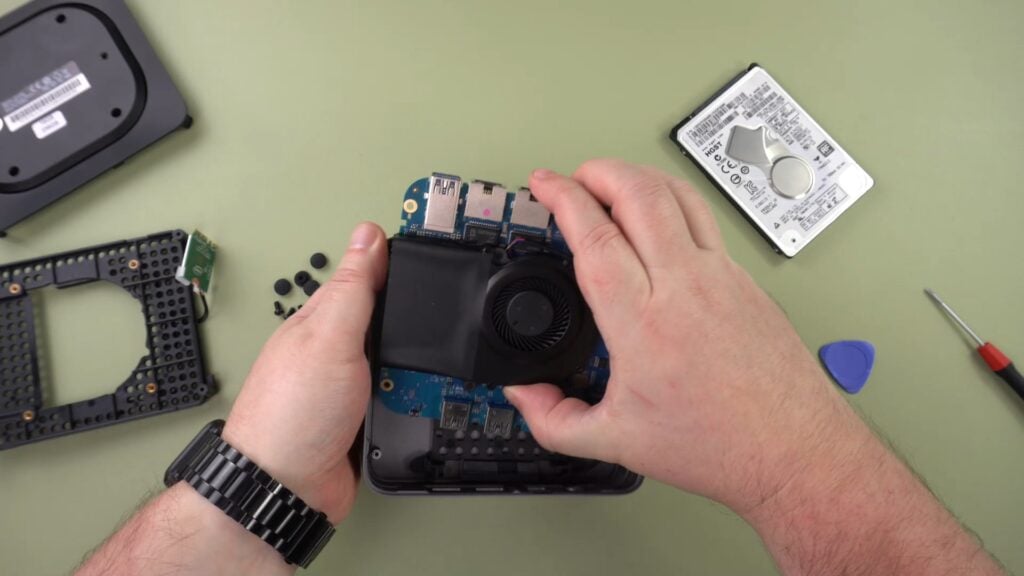
Gently lift the main board from the case
Match the ends of the SATA cable to the drive and connect them.
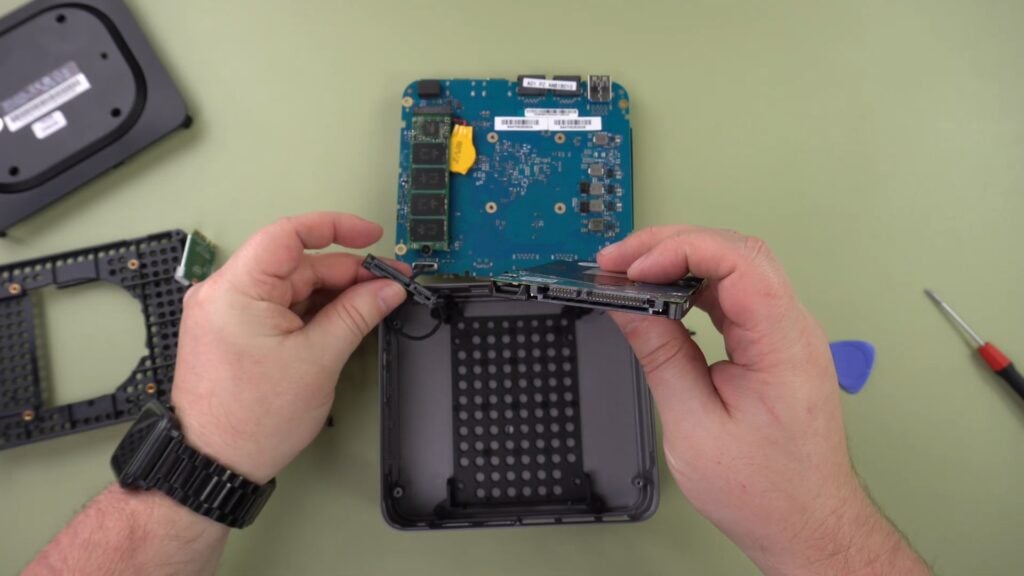
Match the ends of the SATA cable to the drive
Place the drive into the holding tray.
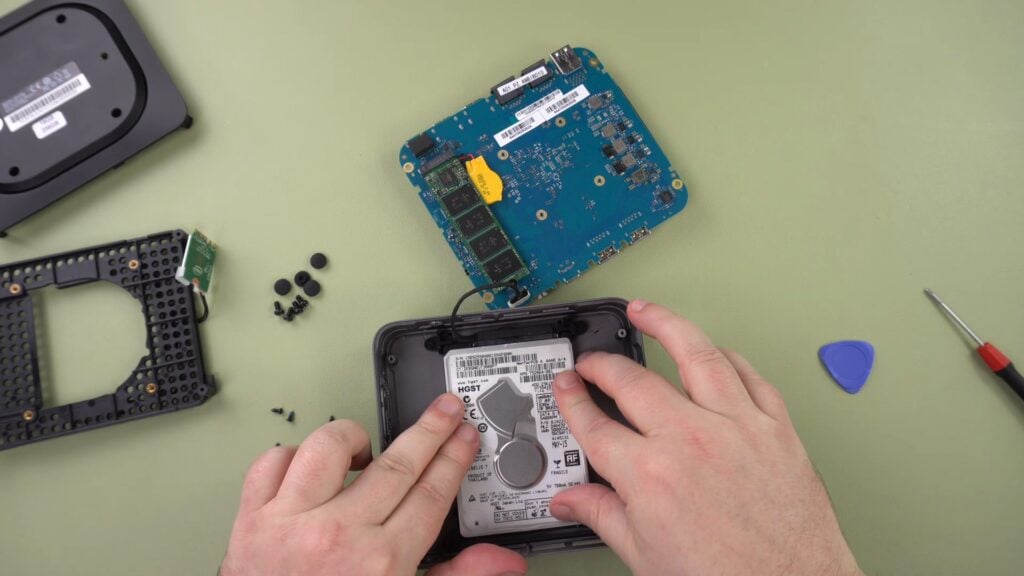
Place the drive into the holding tray.
Repeat the process for reinserting the main board, the tray, screws, lid, screws and rubber feet caps.