Congratulations on purchasing the AOKZOE A1 Pro handheld gaming computer. We have prepared a getting started guide which we highly recommend looking over. It contains what to check, how to update Windows, update device-specific software, firmware & drivers and much more!
Testing Your Hardware
The first thing you need to do when you take your device out of the box is to ensure that everything works as it’s supposed to. We’ve got an article here and embedded below taking you through how to test all of the different buttons, joysticks, screens and features of your new AOKZOE A1 Pro.
Here at DROIX, we’re big proponents of the user’s Right to Repair your device. So if you find any issues and feel confident enough to repair them we encourage you! Reach out to DROIX customer support for any assistance in doing so.
Update Windows, Firmware & Drivers
The second thing you’ve got to do when first getting started with your AOKZOE A1 Pro is to ensure you’ve got the latest software and firmware. Not just for the latest features and performance but more importantly security updates. It’s super important to stay safe and be protected against the latest digital threats. Update your devices, people!
We’ve got an article describing how to update Windows and its drivers here and embedded below.
There may be some updated Firmware and Drivers specific to your AOKZOE A1 Pro. You can find a list of them below.
DO NOT INSTALL THESE FILES ON ANY OTHER DEVICE THAN THE AOKZOE A1 PRO, it may cause damage to your device.
| AOKZOE A1 Pro Firmware & Drivers | Instructions |
| BIOS update 65W – AOK-A1-Pro-65W.zip | Extract the contents and run the AOK.bat file. |
| Graphics Drivers – 230428a-392651C-Nantong_Huada.2.zip | Extract the contents and run the Setup.exe file |
| Player Center – aokzoe_0.4.5.zip | Extract the contents and run the aokzoe_0.4.5.exe file |
We also have a dedicated article on how to install, update and delete AMD drivers here, and also embedded below.
How to uninstall old AMD graphics drivers and install new ones
Stress Testing Your AOKZOE A1 Pro
Alright, your device is working properly, with no issues with the buttons or anything like that, and you’ve got the latest updates all installed and ready to go. Do you really want to go in the slow lane and start downloading unreasonably large 100GB+ games, cough cough Call of Duty cough cough,. Or do you wanna take this baby for a spin? If the latter, take a look at our article here and embedded below to see what your AOKZOE A1 Pro is capable of. Don’t worry, it’s designed to be able to handle the most intense workloads.
Software
Handheld Companion
Let’s not forget, this is Windows. If you’re not a fan of the preinstalled companion apps, you can install whatever you’d like as long as it is supported. Software such as Handheld Companion is one that we highly recommend! You can unlock even more additional controls and settings, including setting up hotkeys for your own functions. Or enabling on-screen stats to keep a close eye on performance. And even enabling and adjusting motion control allows you to get just that much more immersed in your games.
It is so useful, that we have partnered with them to ensure they get the hardware to support the devices we sell! You can learn more about Handheld Companion in our article here or the video below.
Gaming
Game Stores
What you’re actually here for, the AOKZOE A1 Pro has got in spades. Windows is far and away the best platform for gaming. It’s the gold standard the likes of SteamOS try to emulate, we’ve got full-fat Windows 11 on the AOKZOE A1 Pro. Whatever you can do on your gaming PC you can do here. With full support for Steam, XBOX Game Pass, GeForce Now, Epic Games, EA, Radeon Games, GOG Galaxy and many, many, many more. You won’t have an issue running your library of games and adding to it.
Other Operating Systems
You can also install other operating systems if you are familiar with the process and the potential risks it involves. While it is unlikely you can break the hardware, you would likely need to uninstall Windows, install another OS and configure it. Also do expect some bugs and compatibility issues as often these other operating systems are work in progress.
If you would like to try a SteamOS-like user interface and operating system for example, then we can suggest HoloISO. Please read the requirements, and known bugs and set up instructions first. Please note that we do not provide support for other operating systems.
Retro Gaming
If you fancy delving into the past you can play your retro game ROMs, that you definitely own! You can use emulator frontends such as RetroArch or individual emulators such as RPCS3 for PlayStation 3. By adding your own ROMs you can capture the past in the present day and play all of your favourites from your AOKZOE A1 Pro.
Learn how to set up RetroArch in our article here and embedded below.
How to install and set up RetroArch on your Windows or Android devices
https://droix.net/knowledge-base/article/retroarch/embed/#?secret=l1vbEmUB4D#?secret=MUwe54ThE0
Launchers
Not a fan of the desktop environment and want a more console-like experience? Install from several launchers to provide a smooth, creative and gaming-focused experience. Launchers such as Steam Big Screen, Playnite and GOG Galaxy collate your games in one beautiful screen. They allow you to easily find, run and categorise all of the games on your PC, whether it’s from Steam, Epic Games, EA, XBOX or anywhere else.
Connecting with the GPD G1 eGPU docking station
The GPD G1 eGPU docking station provides more USB ports as well as HDMI and DisplayPort to your monitor or TV. The main attraction is the built-in Radeon RX 7600M XT eGPU! It can run your games at higher FPS and visuals and with an external monitor at higher resolutions.
While the AOKZOE A1 Pro does not have an OCuLink port, it does support USB 4.0 which the GPD G1 can use. Our Getting Started with the GPD G1 eGPU docking station guide, also embedded below, shows how to set up and use the AOKZOE A1 Pro with GPD G1.
Replacement Parts
If you do have any issues with your device, get in contact with us first here. We can advise on the best next steps to keep your device running for years to come!
Accessories and Add-Ons
It’s incredible, right? Your new gaming handheld can do so much already, what more is there? There’s more. With additional accessories and add-ons available for the AOKZOE A1 Pro you can take your device to an even higher level, and keep it running for years to come.
GPD G1 eGPU docking station: The docking station offers all your usual USB, DisplayPort and HDMI ports expandability but the main highlight is the built-in graphics card. The GPD G1 has a high-performance Radeon RX 7600M XT eGPU capable of running the latest games at higher graphics settings and high resolutions on an external monitor. Read our full review of it here.
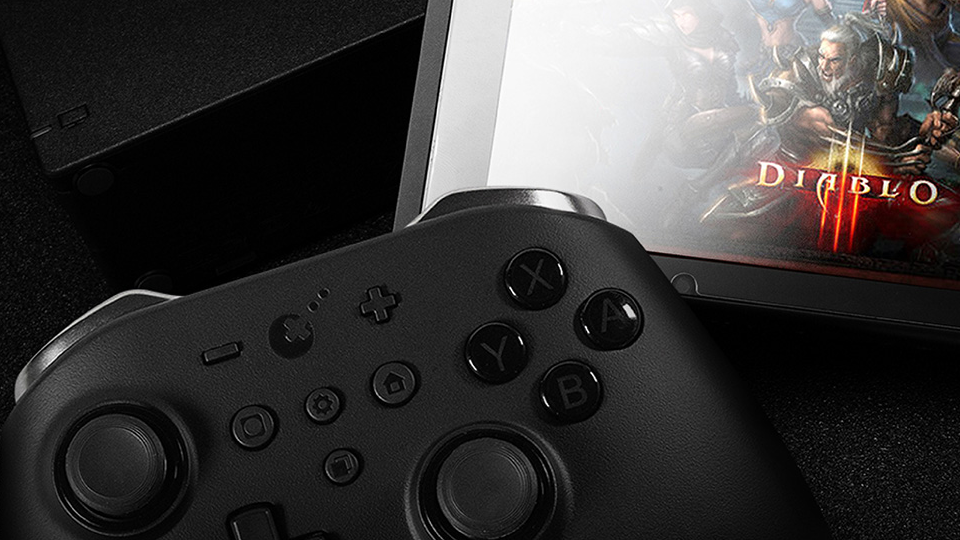
GuliKit KingKong 2 Pro Controller: This high-quality game controller by GuliKit offers an advanced level of precision and control for avid gamers. It’s equipped with a high-speed chip for lower latency, dual vibration motors for immersive haptic feedback, and a powerful battery for extended gameplay sessions.
FX8S USB Type-C Hub: The FX8S USB Type-C Hub is a versatile and portable device that extends your device’s connectivity. It includes a variety of ports, including HDMI, USB Type-A, USB Type-C, and SD card readers, providing comprehensive compatibility with a range of peripherals.
Micro SD Card UHS-I TF Flash Memory Card – DROIX: This is a high-speed, high-capacity MicroSD card from DROIX. Designed for fast data transfer and reliable storage. It’s perfect for expanding the memory capacity of a device for storing games, photos, music, and more. The card is UHS-I enabled, ensuring fast and efficient data transfer.
BiWin 2230 NVMe Storage PCI-e SSD – DROIX: The BiWin 2230 NVMe is a compact and high-speed SSD that uses the PCI Express interface for quick data transfer. The PCI-e SSD provides faster load times and improves the overall responsiveness of your device. It’s ideal for gaming, content creation, and multitasking. It’s perfect for users looking to upgrade their device’s storage with a reliable and fast solution.
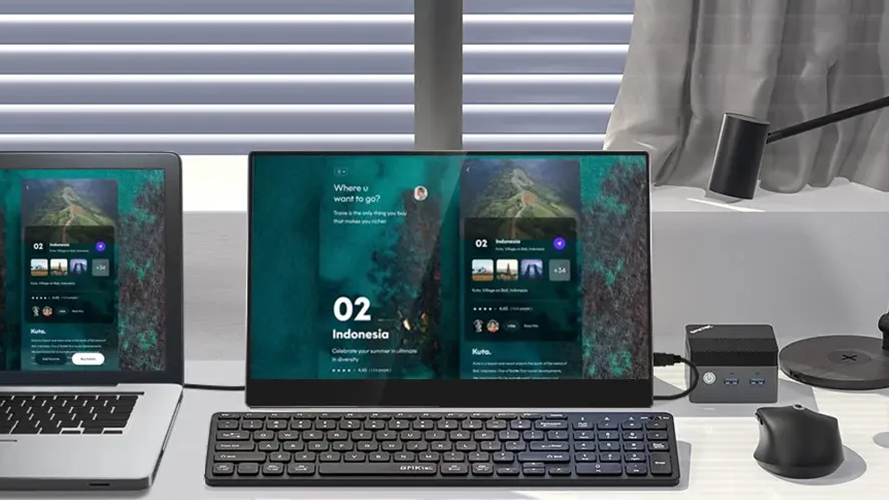
15.6”4K Portable Monitor with touchscreen – DROIX | 15.6″ 4K portable monitor with stylus support – DROIX: These portable monitors offer a stunning 4K resolution across their 15.6″ display. The monitor comes with touchscreen capabilities and even has an option for stylus support. It is fantastic for artists, note-takers, handwriting enthusiasts and more. It’s the perfect addition to get that extra-screen real estate with your AOKZOE A1 Pro. Its slim and lightweight design makes it easy to carry around.
Whew! That was a long read. That should cover just about everything to get you up and running with your brand-new device. Go have fun and play all your faves!